 666HPK GAMES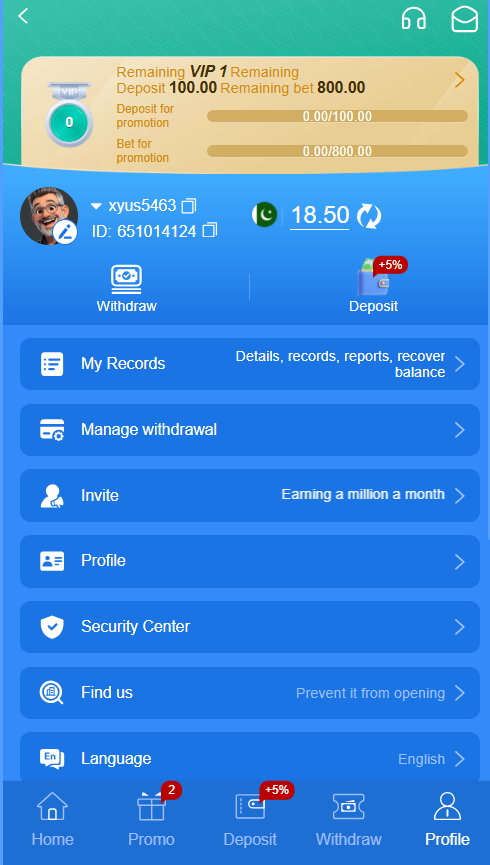
How the 666H login process should work
Open the address you previously verified or use a bookmark saved from a trusted session. Inspect the complete domain before entering anything. A copied page may look identical to the genuine interface while sending your username and password to someone else. Avoid login links received through random messages, advertisements or unofficial social groups.
On the login screen, enter the mobile number or username associated with your account and the password you created during registration. Use a private device and a connection you trust. If the platform offers a verification code or another security step, complete it without sharing the code with anyone. Customer-service staff should never need your password or one-time code.
Protect your account after login
Once the account opens, check the displayed nickname, balance and recent records. The supplied profile screen shows My Records, Manage Withdrawal, Profile and Security Center. Review these areas if the balance is unexpected or if you see an activity you do not recognise. Do not make a new deposit until the account details appear correct.
Use a unique password that is not reused for email, social media or mobile-wallet accounts. A password manager can create and store a stronger password. Sign out after using a shared phone, keep the device software current and avoid modified APK files. If security settings allow extra verification, enable it before adding funds.
Forgotten passwords and locked accounts
Use only the recovery option on the verified login page. A normal recovery flow may ask for the registered number and send a time-limited code. Never post that code in chat or send it to a person claiming to be an agent. If the code does not arrive, wait briefly, verify the number and use the authenticated support route rather than repeatedly requesting codes.
Too many failed attempts may temporarily lock access. Stop guessing and document any error message. Contact support from the official help centre and explain the problem without disclosing the password. If you suspect compromise, secure the email or phone account connected to 666H as well, because those channels may be used for recovery.
Common login mistakes to avoid
The most common problems are typing an old password, using a different phone number, allowing the browser to autofill incorrect details, or visiting the wrong domain. Clear only the affected saved credential rather than erasing unrelated browser data. Confirm whether capital letters and spaces matter.
Never pay a login-unlock fee to a person on social media. Do not install remote-control software for support. A legitimate access problem should be resolved through identity checks and official recovery procedures, not through a private transfer. After recovery, review records and change the password immediately.